




4.7/5 on
4.7/5 on

Add secure eSignatures to your app with ease

Sign, send, and automate contracts within your applications using Signeasy’s eSignature API.

72% of our customers have gone live in less than 72 hours

1
Details
2
Date & time

Loved by innovative developers and startups

Sumukh Sridhara
AngelList

“Our team ultimately chose Signeasy, thanks to their powerful yet easy-to-use API, flexible pricing, and the super-responsive support team.”

Sumukh Sridhara | Head of Product and Engineering

Read Case Study
Erika Ramirez | HR Coordinator
Albea Cosmetics

"I find Signeasy very useful and user-friendly. It has simplified our processes significantly, especially in handling documents like changes in salary, category changes, and terminations. One great feature is the ability to send reminders, which helps in urgent situations where documents must be signed promptly."


Erika Ramirez | HR Coordinator

Read Case Study
DeLonghi
DeLonghi

“We found that Signeasy could be easily integrated with other Google apps in order to automate approved invoice storage locally. This was key in helping us create a local digitally approved invoice database with very little administrative effort or infrastructure changes.”


Duncan Nicholls | Finance Controller

Read Case Study
Eapen Mathew
Palazzo Versace

“Introducing Signeasy to Palazzo Versace has been a breath of fresh air. It’s incredible how it fits right into every part of our operations. Things are running much more smoothly, whether HR, IT, MD’s office, or the front desk.”


Eapen Mathew | Head of Information Technology

Read Case Study
Fonyuy Youla Emile
Mercure Hotels

“We chose Signeasy after evaluating Adobe Sign, thanks to its powerful features. We’ve eliminated 10,000 printouts monthly, reducing costs and accelerating our digital transformation. The turnaround time on contracts has gone from weeks to days.”

Fonyuy Youla Emile | IT Manager

Read Case Study
Birgitta Bender
Icelandair

“It was really frustrating when so many systems we looked at started charging extra to sign more documents. When we looked up Signeasy, we were delighted to see a lot of great customer reviews on many software review sites. We instantly knew Signeasy would be our perfect match.”

Birgitta Bender | Internal Solutions Manager

Read Case Study
Felipe Villamarin L
Rappi

"Rappi onboards thousands of restaurants and merchant partners every month, and with that comes tedious contract management processes. Signeasy has helped us eliminate paperwork backlogs, accelerate onboarding, and scale our internal and external workflows seamlessly."

Felipe Villamarin L | Co-founder

Read Case Study
Shelbie Goodnow
Moreland University

“We’ve consistently received positive feedback on Signeasy. Its responsiveness, ease of setup, and seamless API integration have been major advantages. Our core user base finds it very user-friendly.”


Shelbie Goodnow | General Manager

Read Case Study

Get started in minutes with Signeasy’s free eSign API sandbox

Step 1

Create a Signeasy account
Sign up for a Signeasy developer account to start testing.
Create Account

Step 2

Access API documentation
Review Signeasy’s REST API reference and quickstart guides.
View Guide

Step 3

Go to developer dashboard
Log in to your Signeasy dashboard to access API tools and settings.
Go To Dashboard

Step 4

Generate API key and configure
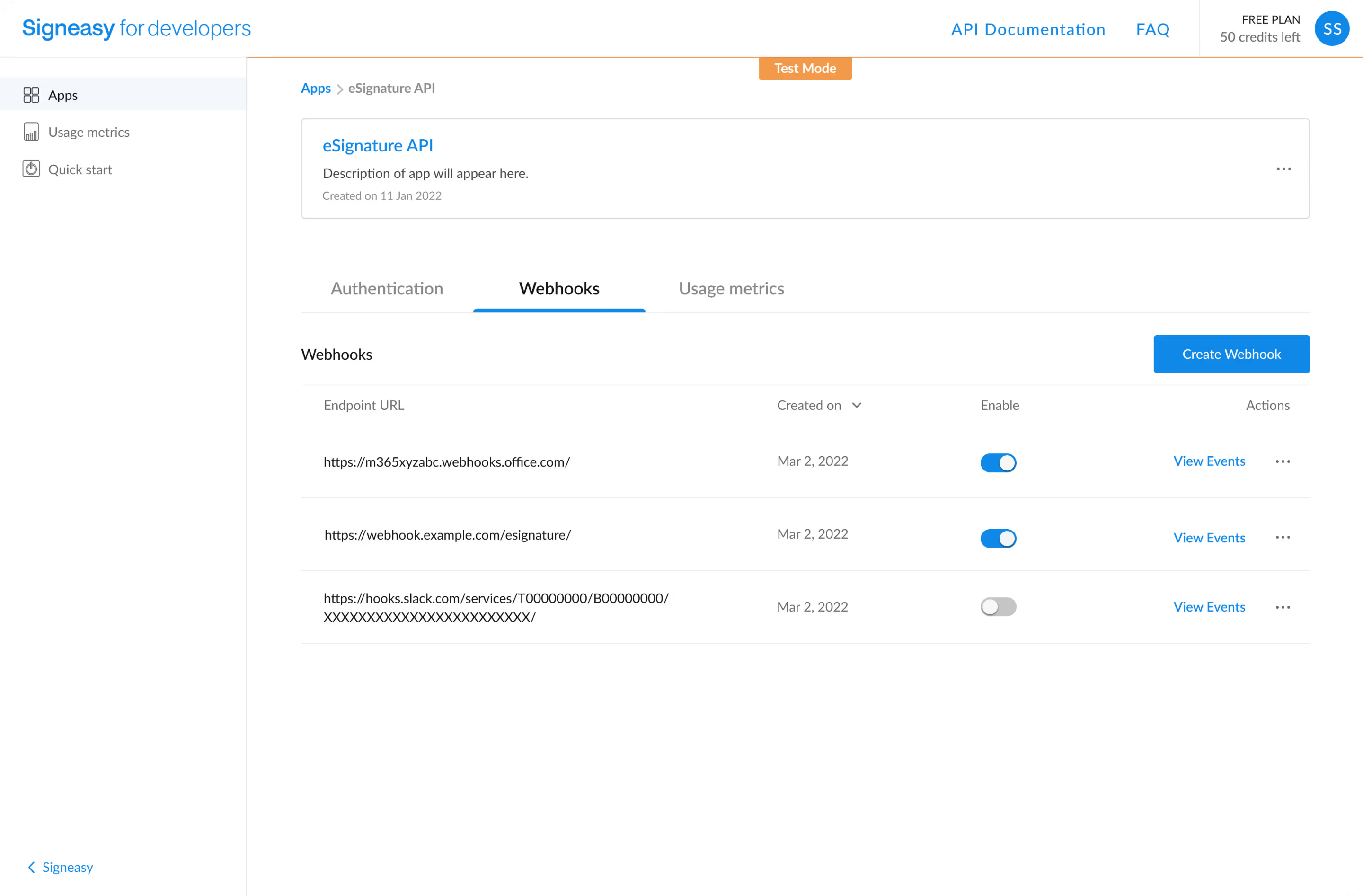
Create your sandbox API key and set up webhook/callback URLs.
Generate API Key

Step 5

Send your first signature request
Use the API to send a test document and experience the eSignature flow.
Test API Call

Flexible eSign API pricing to help you scale

Build eSignature workflows that are easily scalable with Signeasy’s transparent pricing plans.

Starter

For developers to quickly build and explore the API in a free sandbox environment.
$12
$0
free sandbox
Get Started
-->
  • 100 signature requests
  • Sandbox with all features
  • Onboarding support

Intermediate

For growing businesses with moderate signature requests.
$12
$
125
/ month
$1,499 billed yearly
Get Started
-->
  • Merge fields
  • Embedded signing
  • Embedded sending
  • Webhooks

Advanced

For enterprises that need advanced features with high signature requests.
$24
$
250
/ month
$2,999 billed yearly
Get Started
-->
All in Intermediate, and:
  • Embedded templates
  • Stamps
    NEW
  • Advanced authentication
  • Priority support

Compare Signeasy to Other eSign APIs

Features
Pricing (Advanced plan)
$250 / month
(Transparent)
$480 / month
Enterprise plan
(Hidden with Add-ons)
Enterprise plan
(Hidden with Add-ons)
$259/month
$250/month
API Sandbox
Signature requests
2000 envelopes/year
(Requests completed)
1200 envelopes/year
(Requests initiated)
Custom upon request
Custom upon request
1200 envelopes/year
‍(Requests initiated)
2000 envelopes/year
‍(Requests initiated)
Embedded sending
Embedded signing
Embedded templates
Unlimited
Custom upon request
Custom upon request
Custom upon request
15
Custom upon request
Notifications and reminders
Multi-factor authentication
Custom upon request
Dedicated account manager

Certified and secure for all businesses

Get enterprise-grade security to protect your contracts from potential threats and ensure compliance with international and industry-specific eSignature laws.
AICPA SOC
ESIGN & UETA
eIDAS
HIPAA
GDPR
21 CFR

Loved by users, partners, and industry analysts

Frequently asked questions

What is an eSignature API?
An eSignature API, also known as an Electronic Signature API, is a software solution that enables developers to integrate electronic signature capabilities into their applications and websites. This allows users to electronically sign and send documents for signatures on a single app, thus eliminating the need for physical signatures.

The eSign APIs come equipped with functionalities such as document creation, authentication, tracking, and compliance, resulting in enhanced efficiency in document workflows and reduced paper usage, particularly beneficial for businesses.
How do eSignature APIs work?
Electronic Signature APIs enable developers to seamlessly incorporate electronic signature capabilities into their applications.

Users can either upload existing documents or create new ones, designate signing locations, authenticate their identity, and trigger the signing process.

The API then creates a distinct digital signature, securely attaches it to the document, and encrypts the file for enhanced security. Users receive notifications upon successful signing, and certain eSign API solutions provide options for document storage and the creation of audit trails as well.

These APIs ensure compliance with legal standards, guaranteeing the validity of electronic signatures.
What are the benefits of using an eSignature API?
Using an eSignature API, or Electronic Signature API, provides many advantages. It enhances efficiency by simplifying the signing process, enabling quick document turnaround.

Additionally, it offers accessibility for remote signing on various devices, reducing the reliance on physical paper documents, and contributing to cost savings and environmental sustainability.

The eSign API ensures robust security through encryption, authentication, and audit trails, making electronic signatures legally binding and compliant with regulations in many jurisdictions.

It seamlessly integrates with existing systems, aids in document management, and scales to suit businesses of all sizes, fostering collaborative signing among multiple parties.
How can I integrate an eSignature API solution into my application?
Signeasy offers easy-to-integrate eSignature APIs with well-defined documentation for developers to quickly build, test, and go-live.

To integrate an eSign API into your application, follow the below steps
1. Select a suitable provider and obtain API credentials.
2. Thoroughly review the API documentation for guidance on endpoints, authentication, and usage.
3. Implement authentication to secure access and design the user interface for document preparation and signing.
4. Integrate API endpoints to enable actions like document creation, signing, and management through HTTP requests.
5. Develop error-handling mechanisms and conduct extensive testing to ensure proper functionality.
6. Adhere to legal and security standards, offer user training if necessary, and deploy your application once testing is successful.
7. Continuously monitor, maintain, and optimize your integration as your application evolves.
How can I try out the Signeasy's eSign API solution?
Please contact us and our solution expert will reach out to you within 24–48 business hours, with the details on how to provision a sandbox account for yourself to try out our eSignature APIs.
How long are the credits valid for?
The credits are valid for the plan's subscription period (one year).
What is an envelope, and how are documents and envelopes related?
At Signeasy, an envelope is a wrapper for documents that you send to a recipient to sign. An envelope can have one document or many documents, and one signer or many signers. Envelopes have statuses (i.e. sent, completed, voided) and also contain information about the sender and timestamps that indicate the progress of the delivery procedure.

Envelopes help you better manage the documents that are usually sent together and need to be signed together to complete a deal, an onboarding process, contract, etc.

Regardless of how many documents, fields, and signers a given envelope contains, it still counts as only one.
Does Signeasy API offer an extra authentication layer at the time of signing documents?
Yes. Signeasy's eSignature APIs support OTP authentication via SMS.
What is the maximum number of signers supported per signature request?
The maximum number of signers supported per signature request is 45 recipients.
What is the maximum file size allowed per document?
40 MB is the maximum file size allowed per document.
Does Signeasy remind signers about signature requests sent via eSign API?
Yes. We remind the signers of a pending signature request for up to 7 days.
How many apps can I create in the developer portal?
You can create a maximum of 3 apps in the Free plan. In the Paid Plans (Starter, Intermediate and Advanced) you can create a maximum of 10 apps. If you need to increase the number of applications please reach out to our electronic signature API support team.
What happens if my plan expires?
If the eSign API plan expires your endpoint access will be restricted and you will not be able to send any signature requests. There will be reminder notifications for plan expiry and credits utilized. Please ensure renewal of the plan ahead of time to ensure continued usage.
Why build when you can easily embed?
Our eSignature APIs are purpose-built for modern development teams that are looking to quickly integrate eSignatures into their workflows.